

Demystifying Machine Learning Models: A Guide to Partial Dependence Plots
Introduction
In the world of machine learning, we often hear about the “black box” problem. We feed massive datasets into complex models like Gradient Boosted Trees or Random Forests, and we receive predictions. But understanding why a model makes a specific prediction is often more important than the prediction itself, especially in regulated industries like finance, healthcare, and insurance.
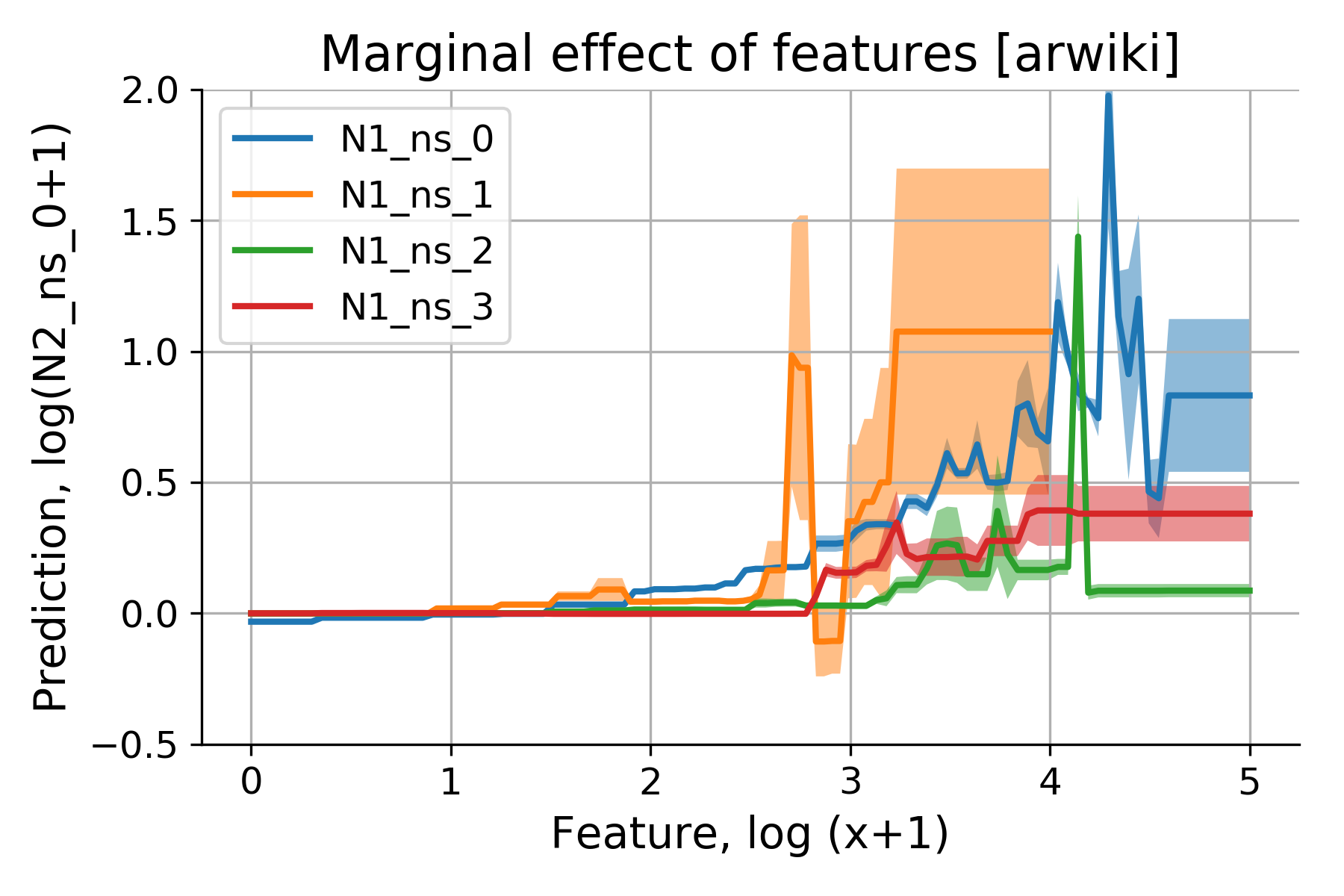
This is where model interpretability tools become essential. Among these, Partial Dependence Plots (PDPs) stand out as a powerful, intuitive method for visualizing the marginal effect of one or two features on the predicted outcome of a model. By isolating the impact of a single variable, PDPs allow you to peel back the layers of complexity and see exactly how your model perceives the relationship between a specific input and the target variable.
Key Concepts
A Partial Dependence Plot is a graphical representation of the marginal effect of one or two features on the predicted outcome of a machine learning model. In simpler terms, it shows how the model’s prediction changes as you vary the values of a specific feature, while holding all other features at their average or marginal values.
Mathematically, the partial dependence function at a particular value of a feature is calculated by marginalizing the model output over the distribution of all other features in the dataset. This effectively “averages out” the influence of the other variables, leaving you with a clear view of the relationship between your feature of interest and the model’s prediction.
PDPs are particularly useful because they can reveal:
- Linear relationships: Whether the feature has a direct, proportional effect on the output.
- Monotonic relationships: Whether the effect always moves in the same direction (e.g., as age increases, the risk of heart disease increases).
- Complex, non-linear effects: Detecting threshold effects or U-shaped curves that a human analyst might not immediately spot.
- Interactions: 2D Partial Dependence Plots can visualize how two features interact to influence the model’s prediction simultaneously.
Step-by-Step Guide
Implementing PDPs is straightforward with modern Python libraries like scikit-learn or PDPbox. Follow these steps to generate and interpret your plots effectively.
- Train Your Model: Before you can visualize anything, you need a trained predictive model. PDPs are model-agnostic, meaning they work with any algorithm, including XGBoost, LightGBM, CatBoost, or even deep neural networks.
- Select Your Feature: Identify the feature you want to investigate. Choose a variable that you suspect has a significant impact on your target, or one that you need to explain to stakeholders (e.g., “annual income” in a credit scoring model).
- Prepare the Data: While the library handles the math, ensure your data is cleaned and properly encoded. If you used one-hot encoding for categorical variables during training, ensure the PDP tool can handle those transformations.
- Generate the Plot: Using the partial_dependence function in scikit-learn, pass your trained model and the feature name to generate the plot. The output will be an array of predicted values corresponding to a range of values for your chosen feature.
- Visualize and Analyze: Plot these values. On the x-axis, place the range of the feature values; on the y-axis, place the marginal prediction. Look for trends—is the line flat, curved, or stepping?
Examples and Real-World Applications
The utility of PDPs is best demonstrated through real-world applications where explainability is non-negotiable.
Credit Risk Assessment
In lending, banks must justify why a loan was denied. A PDP can demonstrate that the model correctly identified that as the “Debt-to-Income Ratio” increases, the probability of default increases. If the plot shows a sharp “cliff” at a certain ratio, it provides a logical, defensible threshold that can be audited by regulators.
Healthcare Diagnostics
Consider a model predicting the likelihood of a patient developing a specific complication. A PDP for the feature “Patient Age” might reveal a sharp spike in risk after age 65. This allows medical practitioners to understand the model’s logic and potentially adjust intervention strategies based on that threshold.
Marketing and Customer Churn
Marketing teams often use models to predict churn. A PDP for “Customer Tenure” might show that churn probability is highest in the first three months and then stabilizes. This insight is actionable: it tells the team to focus retention efforts and discounts specifically on new customers within that critical three-month window.
Common Mistakes
- Ignoring Feature Correlation: This is the most significant limitation of PDPs. The math behind the plot assumes that features are independent. If two features are highly correlated (e.g., “Years of Experience” and “Salary”), the PDP might show unrealistic data points where a low-experience person has a high salary.
- Extrapolation: If you try to create a PDP for a range of values that do not exist in your training data, the model will be forced to extrapolate, leading to potentially misleading, high-variance predictions.
- Missing Interaction Effects: If a feature’s effect depends heavily on another feature (a strong interaction), a 1D PDP might average out these effects and show a flat or misleading line. If you suspect an interaction, always verify with a 2D PDP.
- Over-interpreting Wiggles: In complex models, PDP lines may have small, jagged “wiggles.” These are often artifacts of the model’s complexity or noise in the data rather than true underlying patterns. Focus on the general shape of the curve rather than individual data points.
Advanced Tips
To move from a basic understanding to expert application of PDPs, consider these advanced strategies:
The best way to validate your PDP is to pair it with Individual Conditional Expectation (ICE) plots. An ICE plot shows the model’s prediction for every individual data point across the range of the feature, rather than just the average. If the individual lines are all parallel, the PDP is a perfect representation. If they diverge significantly, you have strong feature interactions that the PDP is masking.
Additionally, consider the following:
- Categorical Features: When dealing with categorical data, remember that ordering matters for the plot. If your feature has many unique categories, sort them by the magnitude of the prediction to make the plot readable.
- Scale of the Y-Axis: When comparing multiple features, ensure your y-axes are on the same scale. This allows you to immediately see which features have the greatest impact on the model’s output—the steeper the slope, the greater the impact.
- Use Accumulation Plots (ALE): If your features are highly correlated, stop using PDPs and switch to Accumulated Local Effect (ALE) plots. ALE plots account for correlation by calculating changes in predictions only for observations within a local area, bypassing the issue of generating unrealistic data points.
Conclusion
Partial Dependence Plots are an indispensable tool in the data scientist’s toolkit. They bridge the gap between complex mathematical modeling and human intuition, providing a window into the “why” behind the “what.” By visualizing how individual features influence your model’s predictions, you gain the confidence to deploy models in high-stakes environments, satisfy regulatory requirements, and uncover actionable insights that drive business strategy.
Remember that while PDPs are highly effective, they are a piece of the interpretability puzzle. Always consider the potential for feature correlation and supplement your PDPs with ICE plots or ALE plots when necessary. By maintaining a critical eye and understanding the mathematical foundations of your visualizations, you can ensure your models are not only accurate but also transparent and trustworthy.
Further Reading





Leave a Reply