
Demystifying Saliency Maps: Visualizing How AI Models “See”
Introduction
In the world of deep learning, we often treat neural networks as “black boxes.” You feed an image into a model, and it outputs a prediction: “This is a golden retriever” or “This is a stop sign.” But how did the model arrive at that conclusion? Did it actually recognize the dog, or was it simply keying in on the grass in the background? Understanding the “why” behind AI decisions is no longer just a luxury—it is a critical requirement for debugging models and building trust in automated systems.
Saliency maps are the most accessible entry point into the field of Explainable AI (XAI). By calculating the gradient of the output with respect to the input pixels, these maps generate a heatmap that highlights which parts of an image contributed most to the model’s final decision. This article explores how to harness this technique to improve model performance and verify the logic behind your image classification tasks.
Key Concepts
At its core, a saliency map is a visual representation of importance. When a neural network processes an image, it performs a series of mathematical transformations. Through backpropagation, we can determine the sensitivity of the output score to each input pixel.
The Gradient Mechanism: If you change a specific pixel slightly and the model’s confidence in its classification drops significantly, that pixel has a high gradient. This implies that the pixel is a key feature in the model’s decision-making process. By plotting these gradients as a heatmap, you create an overlay that shows the model’s “focus” areas.
Saliency maps do not explain the internal logic of the model, but they do show the spatial features that the model prioritizes. They act as a spotlight on the input data.
There are several variations of this technique, including Vanilla Saliency, Integrated Gradients, and Grad-CAM. While “Vanilla” saliency maps use the raw gradient, more advanced methods like Grad-CAM provide smoother, class-discriminative visualizations by looking at the gradients flowing through the final convolutional layers of the network.
Step-by-Step Guide: Generating Your First Saliency Map
To implement saliency maps, you typically work within frameworks like PyTorch or TensorFlow. The following steps outline the logic required to extract these maps from a pre-trained model.
- Set the Input to Gradient Mode: Load your pre-trained model and set the input image to “requires_grad” (or the equivalent in your chosen library). This tells the autograd engine to track the computations for this specific input.
- Forward Pass: Pass the image through the model to get the prediction score for your target class. Do not apply the Softmax function at this stage, as it can flatten the gradients.
- Zero the Gradients: Clear any existing gradients in the model to ensure a clean calculation for the current image.
- Backward Pass: Perform a backward pass (backpropagation) from the target class score. This computes the gradient of the score with respect to the original input image pixels.
- Magnitude Calculation: Because gradients can be negative, take the absolute value of the gradients across all color channels (RGB) to find the magnitude of influence.
- Visualization: Normalize these magnitudes and overlay them onto the original image as a heatmap. Use a color scale, such as “jet” or “hot,” where bright colors represent high-impact pixels.
Examples and Real-World Applications
Saliency maps are not just academic curiosities; they have direct utility in high-stakes environments:
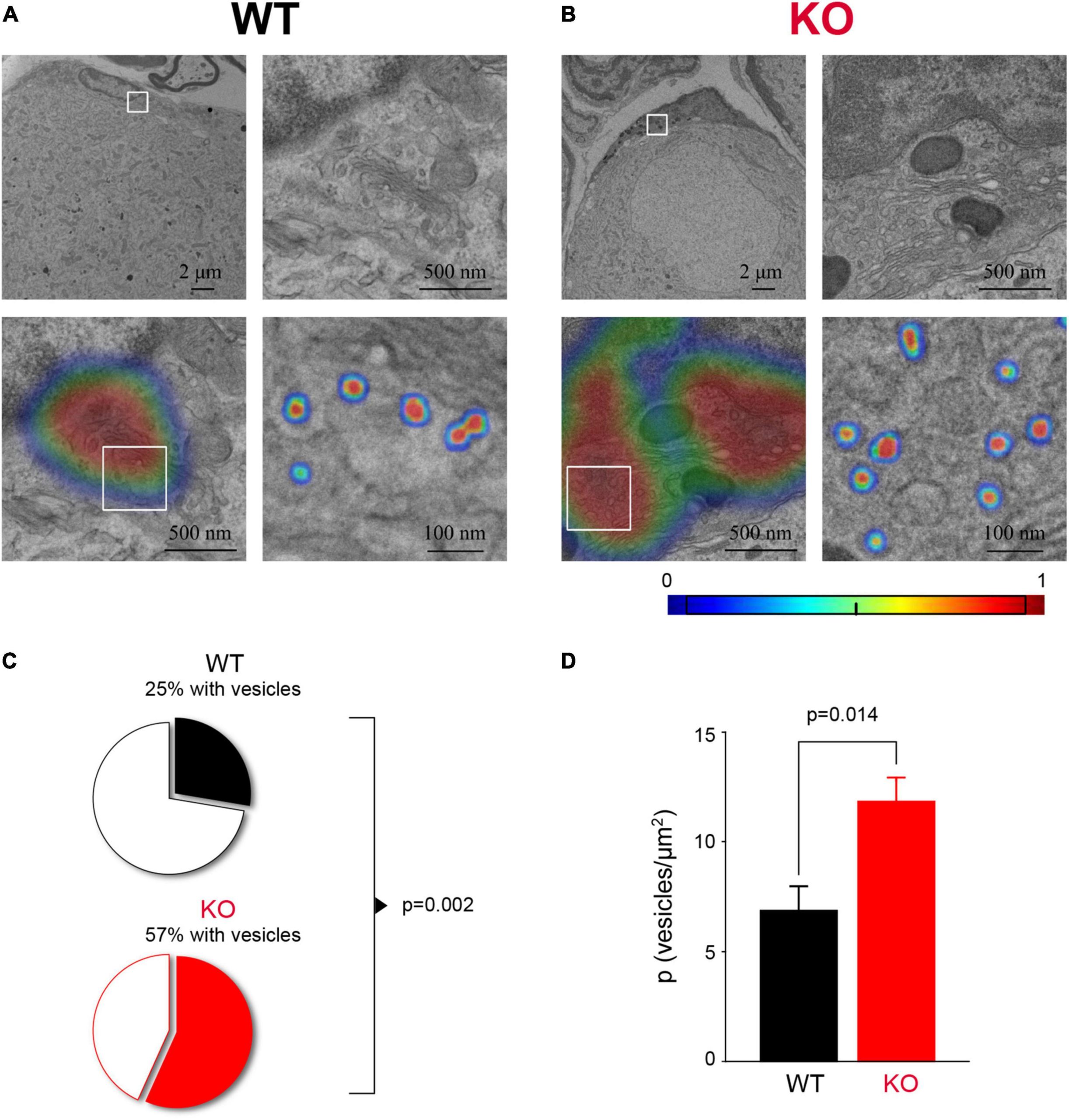
- Medical Imaging: In radiology, a model might correctly identify a tumor, but are the pixels it is looking at actually the tumor, or are they artifacts from the X-ray machine? Saliency maps allow doctors to verify that the AI is focusing on clinical markers rather than noise.
- Autonomous Driving: Engineers use these maps to ensure that a car’s vision system is focusing on pedestrians and lane markings rather than extraneous information like the texture of the asphalt or shadows on the road.
- Quality Control: In manufacturing, if an AI is tasked with identifying product defects, saliency maps help engineers understand if the model is learning to identify actual scratches or if it is just picking up on lighting variations in the factory floor.
Common Mistakes
Even with advanced tools, implementation can lead to misleading conclusions if you aren’t careful.
- Ignoring Noise: Vanilla saliency maps can be quite noisy, often showing “salt and pepper” pixels that don’t represent clear features. If your map is incoherent, consider using SmoothGrad or Integrated Gradients to reduce visual noise.
- Targeting the Wrong Class: Ensure you are calculating the gradient for the specific class you want to analyze. If you calculate the gradient for the entire output vector rather than one label, the resulting map will be a muddled mix of all potential classes.
- Over-Interpreting the Map: A saliency map shows where the model looked, but it does not tell you how the model interpreted that data. A model might be looking at the right object for the wrong reasons (e.g., classifying a boat because there is water, not because it sees a boat).
- Failure to Normalize: If you don’t normalize the gradients, your heatmap will likely look like a flat, washed-out image. Always apply min-max scaling to make the differences in pixel importance visible.
Advanced Tips for Better Explainability
To move beyond simple visuals, consider these professional-grade techniques:
Use Grad-CAM for Structural Insight: Vanilla saliency maps operate at the pixel level, which can be overly sensitive. Grad-CAM (Gradient-weighted Class Activation Mapping) uses the feature maps of the final convolutional layer. This produces much more interpretable, “bloblike” highlights that align better with human intuition about what constitutes an object.
Compare Across Models: If you are choosing between two model architectures (e.g., ResNet vs. Vision Transformer), generate saliency maps for the same image on both. You will often find that different architectures “see” the same image in radically different ways. This can help you select a model that aligns more closely with your domain-specific needs.
Perturbation Analysis: As a sanity check, try “masking” the pixels identified as highly salient by the map. If you blur out the hot spots and the model’s confidence drops significantly, your saliency map is validated. If the confidence stays high, the map is misleading and the model is likely relying on features you haven’t captured.
Conclusion
Saliency maps serve as the “bridge of trust” between complex neural networks and the human users who rely on them. By visualizing the gradients of an image, you gain the ability to peek into the model’s reasoning, debug potential biases, and verify that your AI is learning meaningful patterns rather than spurious correlations.
However, remember that saliency is a diagnostic tool, not an absolute truth. Use it to inform your understanding, validate your data preprocessing, and refine your architecture. As AI continues to integrate into critical industries, mastering the ability to explain, visualize, and justify your model’s performance will become the defining skill of a high-level machine learning practitioner.
Further Reading


Leave a Reply