
Demystifying Grad-CAM: How to Visualize Decisions in Deep Learning Architectures
Introduction
In the era of “black-box” artificial intelligence, understanding why a model makes a specific prediction is no longer a luxury—it is a necessity. Deep neural networks, particularly Convolutional Neural Networks (CNNs), are highly effective at image recognition, but their internal decision-making processes remain opaque to the end-user. For years, Class Activation Mapping (CAM) provided a glimpse into these processes, but it came with a significant architectural restriction: it required global average pooling layers, rendering it incompatible with many state-of-the-art networks.
Enter Gradient-weighted Class Activation Mapping (Grad-CAM). This technique revolutionized model interpretability by eliminating the need for specific architectural constraints. By leveraging the gradients of the target concept flowing into the final convolutional layer, Grad-CAM produces a coarse localization map highlighting the regions in an image that most influenced the model’s prediction. Whether you are a machine learning engineer debugging a model or a domain expert validating AI diagnostics, Grad-CAM is an essential tool in your technical arsenal.
Key Concepts
To understand Grad-CAM, we must first look at the limitation of its predecessor, CAM. Traditional CAM relies on a strict architecture where the final convolutional layer is fed directly into a global average pooling (GAP) layer, which is then connected to a softmax output. This forces developers to modify their model architecture just to visualize it, often sacrificing accuracy in the process.
Grad-CAM bypasses this limitation by using the gradient information. The core logic follows this principle: the importance of a specific feature map is determined by the derivative of the target score with respect to the activations of that feature map. By calculating these gradients, we can quantify how much each spatial location in a convolutional layer contributes to the final class score.
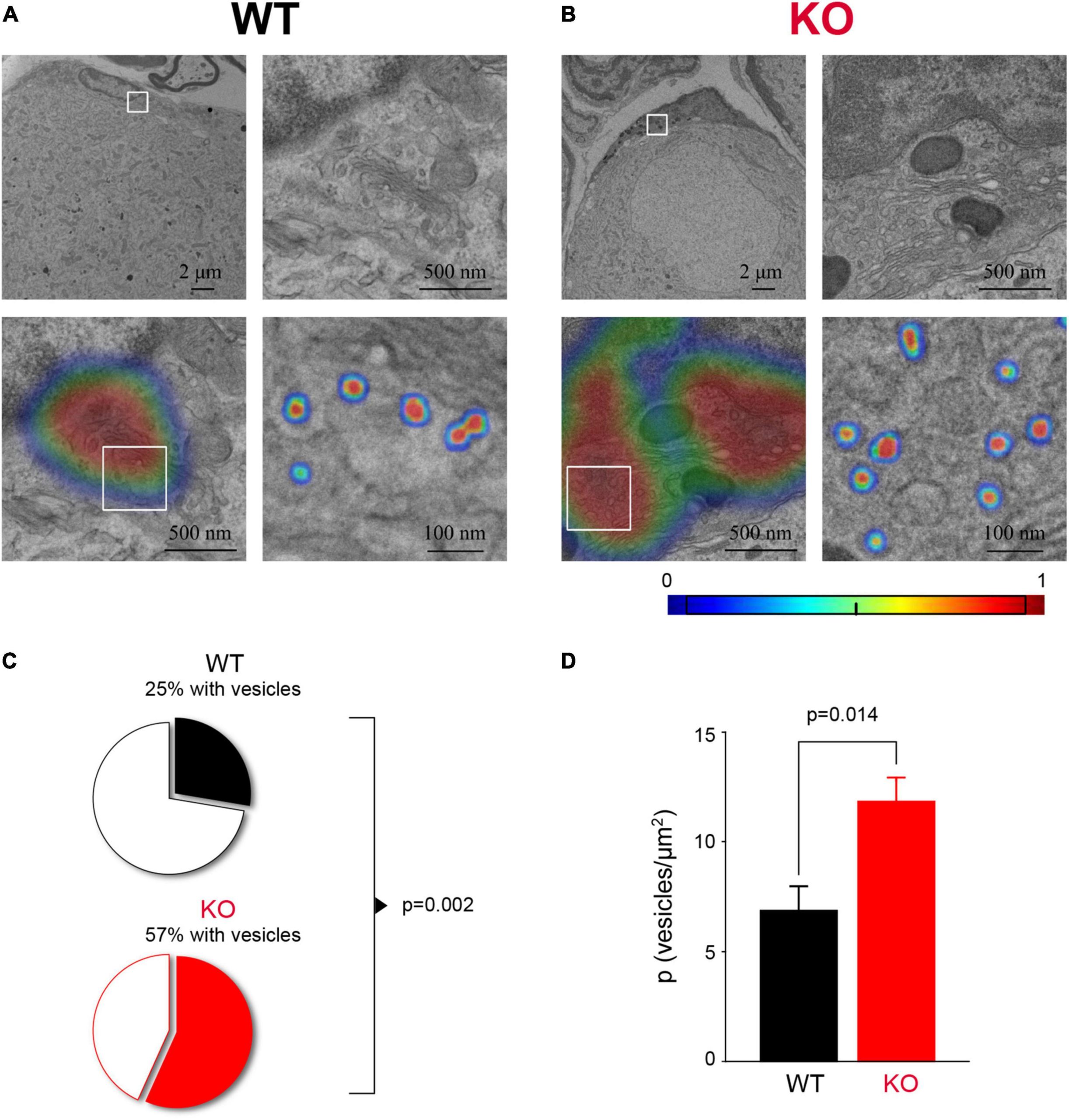
The output of Grad-CAM is a heatmap. It highlights pixels that “pushed” the model toward its final decision. If a model identifies a dog, Grad-CAM will typically highlight the dog’s face and ears. If the heatmap highlights the background grass instead, you have successfully identified a failure in the model’s learning process, often referred to as “Clever Hans” behavior or dataset bias.
Step-by-Step Guide
Implementing Grad-CAM is a straightforward process if you have access to your model’s intermediate activations and gradients. Follow these steps to generate your first heatmap:
- Select the Target Layer: Identify the final convolutional layer of your network. This layer is chosen because it retains spatial information while having high-level semantic representation.
- Forward Pass: Perform a standard forward pass of your input image through the network to obtain the output scores for your target class.
- Gradient Calculation: Compute the gradient of the target class score with respect to the feature maps of the selected convolutional layer. This tells you how sensitive the output score is to small changes in those feature maps.
- Global Average Pooling (Weights): Calculate the weight for each filter by taking the global average of the gradients across the width and height of the feature map. These weights represent the “importance” of each feature map.
- Weighted Combination: Perform a weighted sum of the feature maps using the calculated weights. This results in a 2D map of the same dimensions as the feature map spatial resolution.
- Apply ReLU: Apply the Rectified Linear Unit (ReLU) activation to the result. This discards all negative values, focusing only on features that had a positive influence on the target class.
- Normalization and Superimposition: Normalize the heatmap values between 0 and 1, resize them to the input image dimensions, and overlay the heatmap on the original image for visual interpretation.
Examples and Real-World Applications
The applications of Grad-CAM span across high-stakes industries where accountability is critical.
Medical Imaging Diagnostics
In radiology, AI models are used to identify pneumonia or tumors in chest X-rays. Grad-CAM allows doctors to verify if the model is focusing on legitimate clinical markers (like opacity in the lungs) or if it is focusing on artifacts (like metallic markers or image noise). By visualizing these focus areas, the AI transitions from a black-box suggestion to a transparent decision-support tool.
Autonomous Vehicle Safety
When an autonomous vehicle identifies an obstacle, engineers must ensure the detection is based on the object itself, not the shadow or lighting conditions. Grad-CAM helps developers see exactly what pixels the vision system is relying on to trigger a braking event. If the system is focusing on the sky rather than the vehicle ahead, it indicates a critical need for more diverse training data.
Retail and E-commerce
Fashion recommendation systems use CNNs to categorize clothing items. Grad-CAM can reveal whether the model is classifying a “striped shirt” based on the pattern or based on the brand logo. If the model focuses on the logo, it suggests a reliance on specific brands rather than the product category, allowing for better data cleaning and feature engineering.
Common Mistakes
- Using the wrong layer: Beginners often attempt to apply Grad-CAM to early convolutional layers. While this might show edge detections, it rarely provides useful insights into the final object classification. Always stick to the deepest convolutional layers.
- Ignoring ReLU: Failing to apply the ReLU activation will result in the heatmap capturing both positive and negative influences. This creates a noisy visualization that is difficult to interpret.
- Neglecting Normalization: Raw Grad-CAM outputs are rarely scaled. Without normalization, the visual contrast in the heatmap will be too low, making it appear that the model is “looking everywhere” rather than focusing on specific regions.
- Over-reliance on Heatmaps: Heatmaps are an approximation. They show where the model is looking, but they do not explain the exact mathematical interaction between layers. Use them as a diagnostic tool, not a perfect forensic report.
Advanced Tips
To extract more value from your visualizations, consider Grad-CAM++. While standard Grad-CAM uses global average pooling for weights, Grad-CAM++ employs a more sophisticated weighted average of the positive partial derivatives. This is particularly useful when the image contains multiple instances of the same object class, as it produces a more localized and accurate activation map.
Furthermore, combine Grad-CAM with Guided Backpropagation. By element-wise multiplying your Grad-CAM heatmap with the Guided Backpropagation visualization, you get “Guided Grad-CAM.” This technique provides high-resolution, class-discriminative visualizations that are much sharper than a standard heatmap, essentially allowing you to see the textures and patterns that define the classification.
Finally, always perform sanity checks. Randomize the weights of your model layer by layer. If your Grad-CAM heatmap remains exactly the same after randomizing the final layers, your visualization method might be picking up on pixel bias rather than learned features, suggesting your model is not actually functioning as expected.
Conclusion
Grad-CAM bridges the gap between deep learning complexity and human interpretability. By removing the strict requirement for global pooling layers, it allows us to probe the decision-making processes of virtually any standard CNN architecture. From identifying model biases to providing the necessary trust for medical and safety-critical applications, the ability to visualize “what the model sees” is an invaluable component of a professional data science workflow.
As you move forward, treat interpretability as an integrated part of your development lifecycle rather than an afterthought. By implementing these techniques, you not only improve your model’s accuracy through informed debugging but also contribute to the broader goal of building transparent, ethical AI systems.
Further Reading

Leave a Reply