

Outline
- Introduction: The “Black Box” problem in machine learning and the role of interpretability.
- Key Concepts: Defining Marginal Effects and the mathematics of PDPs.
- Step-by-Step Guide: How to generate and interpret plots using Python (Scikit-Learn/PartialDependenceDisplay).
- Real-World Case Study: Credit scoring models and housing price prediction.
- Common Mistakes: The danger of correlated features and extrapolation.
- Advanced Tips: Utilizing ICE (Individual Conditional Expectation) plots for deeper granularity.
- Conclusion: Bridging the gap between model performance and human trust.
Unlocking Black Box Models: A Guide to Partial Dependence Plots
Introduction
In the modern data science landscape, we often face a trade-off between model accuracy and model interpretability. Sophisticated algorithms like Gradient Boosting Machines (XGBoost, LightGBM) and Random Forests can predict complex outcomes with incredible precision, but they often function as “black boxes.” You feed data into them, and a prediction comes out, but understanding why the model made that decision is frequently murky.
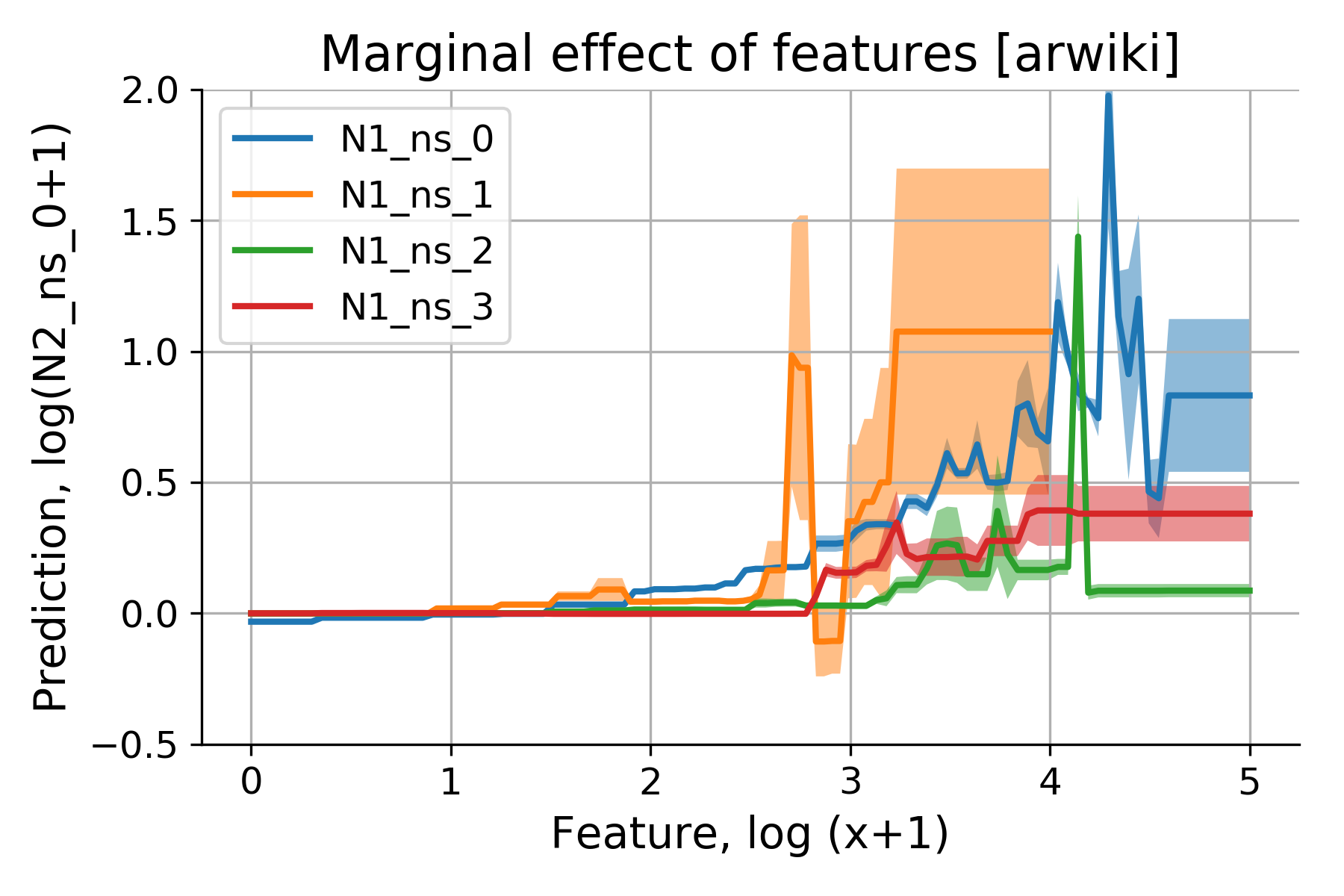
This lack of transparency is a major barrier to adoption in high-stakes fields like finance, healthcare, and law. Enter Partial Dependence Plots (PDPs). PDPs are a powerful model-agnostic interpretability tool designed to visualize the marginal effect of one or two features on the predicted outcome of a machine learning model. By using PDPs, you can finally move beyond “the model works” to “the model works because of these specific behavioral patterns.”
Key Concepts
At its core, a Partial Dependence Plot answers a simple question: How does the predicted outcome change if I vary a specific feature while keeping all other features constant?
When we train a model, features are naturally correlated. If you try to analyze the effect of “Income” on “Loan Approval,” your model might be confused because Income is also correlated with “Credit Score.” If you simply change Income in your dataset, the model’s internal logic might trigger unexpected shifts because it assumes Credit Score should move with it.
PDPs solve this by using an averaging technique. For a chosen feature (or two), the algorithm creates a grid of values across the feature’s range. For every value in that grid, it forces the entire dataset to adopt that specific value, calculates the predictions for all rows, and then averages the result. This effectively “marginalizes” the other features, stripping away their influence and leaving behind the isolated relationship between your target feature and the prediction.
Step-by-Step Guide: Visualizing Your Model
Generating a PDP is straightforward if you are working within the Python ecosystem, particularly with the scikit-learn library.
- Train your model: Ensure your model (Random Forest, SVM, etc.) is fully trained and performing well on your validation set.
- Select your target features: Identify which features are most critical to your business logic. Start with the top three features identified by your model’s feature importance attribute.
- Use PartialDependenceDisplay: Scikit-learn provides a dedicated module for this. Import PartialDependenceDisplay from sklearn.inspection.
- Generate the plot: Pass your trained model and your training data into the function. Specify the features parameter to visualize either a single variable or a 2D interaction plot.
- Interpret the slope: A linear trend indicates a monotonic relationship. A curved line (or “U-shape”) suggests a non-linear relationship that the model has successfully captured.
“Partial Dependence Plots do not show you the actual data points; they show you the average prediction of your model across the entire distribution of your data.”
Examples and Real-World Applications
Credit Scoring: Imagine a bank uses a complex ensemble model to approve mortgages. A loan officer needs to explain to a regulator why an applicant was denied. Using a PDP for “Annual Income,” the officer can show a plot where the probability of approval is flat until a certain income threshold is reached, then rises sharply. This provides a clear, defensible policy explanation based on the model’s learned logic.
Predictive Maintenance: In manufacturing, engineers use machine learning to predict machine failure. A PDP for “Temperature” might reveal that the risk of failure remains constant until the machine hits 90 degrees Celsius, at which point the probability of failure spikes exponentially. This insight is actionable: engineers can set an automated alert threshold at 85 degrees to prevent downtime before the exponential risk curve begins.
Common Mistakes to Avoid
- Ignoring Feature Correlation: If two features are highly correlated (e.g., “Weight in KG” and “Weight in LBS”), the PDP might create artificial data points that are physically impossible. This can lead to misleading interpretations in regions of the feature space where data does not actually exist.
- Averaging out heterogeneity: PDPs show the average effect. If your model behaves differently for different subgroups of your population (e.g., your model is sensitive to “Age” for men but not for women), the PDP will smooth these out into a single line, potentially hiding critical insights.
- Misinterpreting the scale: Ensure you understand whether your Y-axis represents raw output (like a house price in dollars) or probability (like the likelihood of churn). Mismatched axes lead to incorrect business conclusions.
Advanced Tips: Incorporating ICE Plots
To overcome the “averaging” limitation of PDPs, look into Individual Conditional Expectation (ICE) plots. While a PDP shows the average of all predictions, an ICE plot shows the line for each individual data point in your dataset.
By overlaying ICE lines on top of your PDP, you can instantly see the variance. If your ICE lines are all parallel to the PDP, the feature has a consistent effect on all observations. If the ICE lines cross or show drastically different slopes, it is a major red flag—it means your model’s behavior is highly dependent on interactions with other features, and a simple average (the PDP) might be hiding a complex, conditional reality.
Conclusion
Partial Dependence Plots are an essential component of any data scientist’s toolkit. They provide the “why” behind the “what,” allowing us to inspect the learned logic of our models and ensure they align with domain expertise and ethical standards.
By effectively visualizing the marginal effects of your features, you gain three major advantages: enhanced model trust from stakeholders, the ability to identify and rectify model biases, and a deeper understanding of the underlying patterns in your data. Start by creating simple, one-feature PDPs, then progress to two-feature interaction plots to uncover how variables work together to drive your business outcomes.
Remember: a model that cannot be explained is a risk. A model that can be explained is an asset.
Further Reading





Leave a Reply