Introduction: The friction between security and user experience.
Key Concepts: Defining biometrics (physiological vs. behavioral).
The Synergy: How biometrics eliminate the “password fatigue” loop.
Step-by-Step Implementation Guide: Integrating biometrics into digital ecosystems.
Real-World Case Studies: Banking and enterprise access control.
Common Mistakes: Over-reliance on single-factor biometrics and privacy concerns.
Advanced Tips: Multi-modal authentication and liveness detection.
Conclusion: Future-proofing your security strategy.
The Biometric Bridge: Harmonizing Security and User Convenience
Introduction
For decades, digital security was built on a fundamental trade-off: the more secure a system was, the more difficult it was to access. We have all experienced the frustration of complex password requirements, multi-factor authentication (MFA) codes sent to devices, and the inevitable “password reset” loop. This friction doesn’t just annoy users; it leads to poor security habits, such as password reuse or writing credentials on sticky notes.
The integration of biometric authentication—using unique biological or behavioral traits to verify identity—offers a transformative solution. By shifting from “what you know” (passwords) to “who you are,” organizations can bridge the widening gap between robust security and seamless user experience. This article explores how to implement these technologies effectively to improve both protection and productivity.
Key Concepts
Biometric authentication relies on measuring and analyzing human characteristics. These are generally categorized into two distinct types:
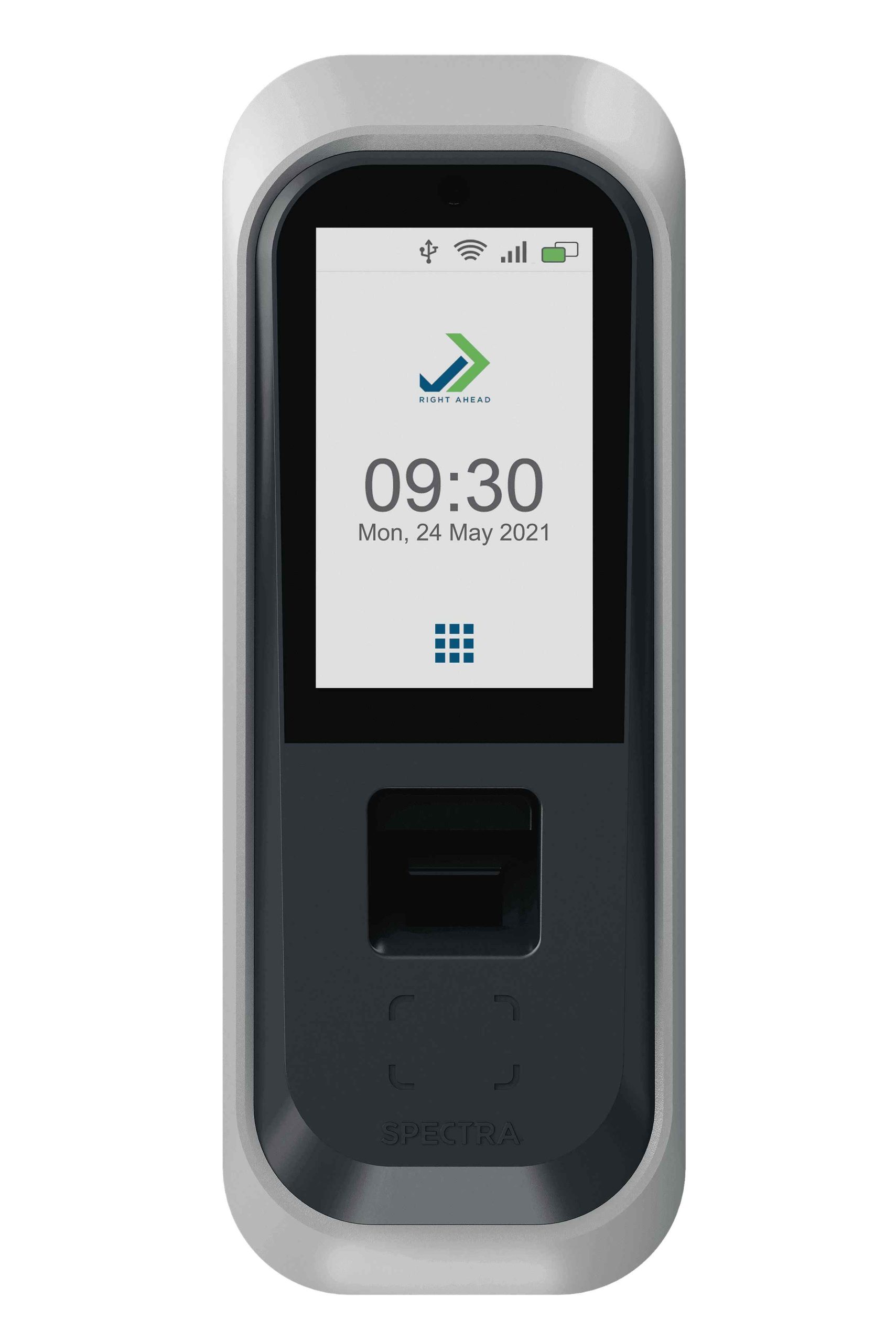
Physiological Biometrics: These identify users based on physical features. Common examples include fingerprint scanning, facial recognition, iris scanning, and palm vein patterns. These traits are relatively static and highly distinct to the individual.
Behavioral Biometrics: This is a more modern approach that analyzes patterns in how a user interacts with a device. This includes keystroke dynamics (the rhythm of your typing), gait analysis, voice recognition, and mouse movement patterns. These are dynamic and harder to spoof because they require mimicking a user’s habits rather than just a physical image.
The power of biometrics lies in non-repudiation. Unlike a password, which can be shared or stolen, a biometric trait is tied directly to the user. When implemented correctly, it provides a “zero-effort” security layer that satisfies the most stringent compliance requirements without requiring the user to memorize complex character strings.
Step-by-Step Guide to Implementation
Conduct a Risk Assessment: Determine where high-friction authentication is causing the most drop-off. Are employees struggling with VPN logins? Are customers abandoning carts due to login hurdles? Start where the ROI on friction reduction is highest.
Choose the Right Modality: Select the biometric method based on the device environment. For mobile apps, facial recognition (like FaceID) is standard and highly trusted. For enterprise desktop environments, fingerprint readers or FIDO2-compliant security keys are often more reliable.
Implement “Privacy by Design”: Never store raw biometric images. Store only encrypted mathematical representations (templates or hashes) of the biometric data. Use “match-on-chip” technology, where the biometric data never leaves the user’s local device, ensuring that even if your server is breached, no actual biometric data is exposed.
Establish a Fallback Mechanism: Biometrics can fail due to environmental factors (e.g., poor lighting for facial recognition, wet fingers for scanners). Always provide a secure, secondary authentication method, such as a hardware token or a one-time passcode (OTP), to ensure users are never locked out.
Continuous Monitoring: Implement behavioral biometrics to monitor for anomalies after the initial login. If a user’s keystroke pattern suddenly changes or their location shifts suspiciously, the system should trigger a step-up authentication challenge.
Examples and Case Studies
Financial Services: Leading retail banks have replaced legacy security questions—which are easily harvestable via social engineering—with mobile-native biometric prompts. By requiring a fingerprint or selfie scan to authorize large transactions, banks have significantly reduced account takeovers while increasing the speed of mobile banking transactions.
Enterprise Access Control: Large tech companies have moved away from password-protected workstations. By utilizing FIDO2-compliant biometric authenticators, employees can unlock their laptops and cloud applications with a simple touch. This shift has virtually eliminated help-desk tickets related to password resets, allowing IT teams to focus on higher-value infrastructure projects.
“The ultimate goal of modern security is to make the right thing to do the easiest thing to do. Biometrics achieve this by aligning security protocols with natural human behavior.”
Common Mistakes
Storing Biometric Data Centrally: Storing raw biometric images in a central database is a security nightmare. If that database is compromised, the stolen data cannot be changed like a password. Correction: Always use decentralized, encrypted templates.
Ignoring Liveness Detection: Basic facial recognition can sometimes be fooled by a high-resolution photograph. Correction: Ensure your implementation includes “liveness detection,” which requires the user to perform a small action (like blinking or turning their head) to prove they are a living person.
Single-Factor Reliance: Biometrics should be used as a component of MFA, not as the sole factor. Correction: Treat biometrics as “something you are” and pair it with “something you have” (a registered device) to create a robust, multi-layered defense.
Advanced Tips
To truly maximize the impact of your biometric strategy, consider moving toward Multi-Modal Authentication. This involves combining two or more biometric factors—for example, requiring both a face scan and a voice verification for high-value transactions. This creates an exponential increase in security, as the probability of a threat actor successfully spoofing two different biological traits simultaneously is astronomically low.
Furthermore, focus on Passive Authentication. The best user experience is one the user doesn’t notice. By using behavioral biometrics, you can constantly verify the user throughout their session. If the system detects that the typing rhythm or mouse movement speed has changed, it can automatically trigger a re-authentication request. This provides a “continuous trust” model that is far superior to a one-time login check.
Conclusion
The integration of biometric authentication is no longer a futuristic luxury; it is a fundamental requirement for any organization looking to balance security with a frictionless digital experience. By removing the reliance on memory-dependent credentials, you reduce the attack surface of your organization while simultaneously increasing user satisfaction.
Remember that the key to success is building trust. Be transparent with users about how their data is stored, prioritize decentralized encryption, and always provide robust fallback options. When implemented with a privacy-first mindset, biometrics bridge the gap between security and convenience, allowing your users to interact with your services with confidence and ease.